NEW Connect your AI assistant and let AI solve your issues arrow_forward
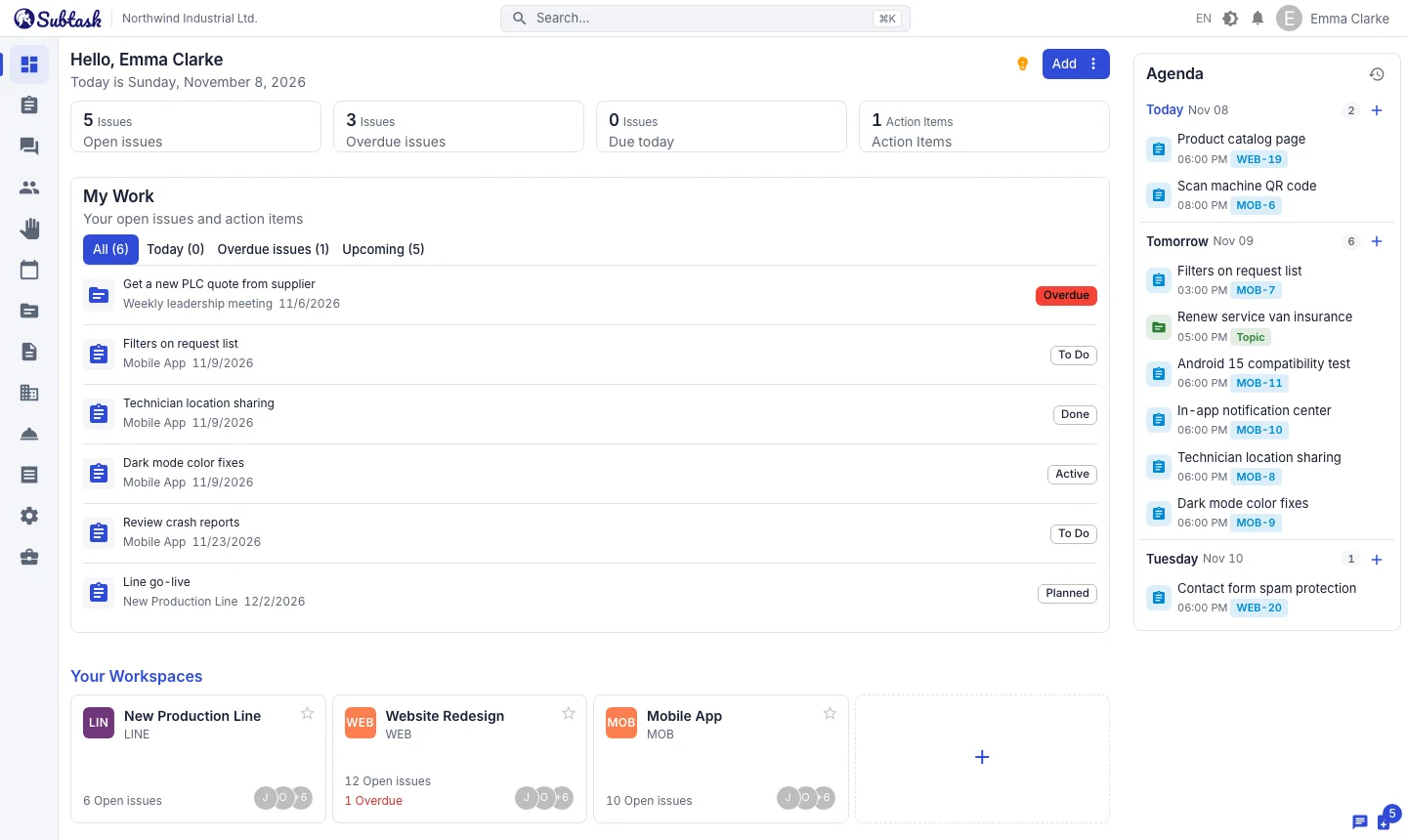
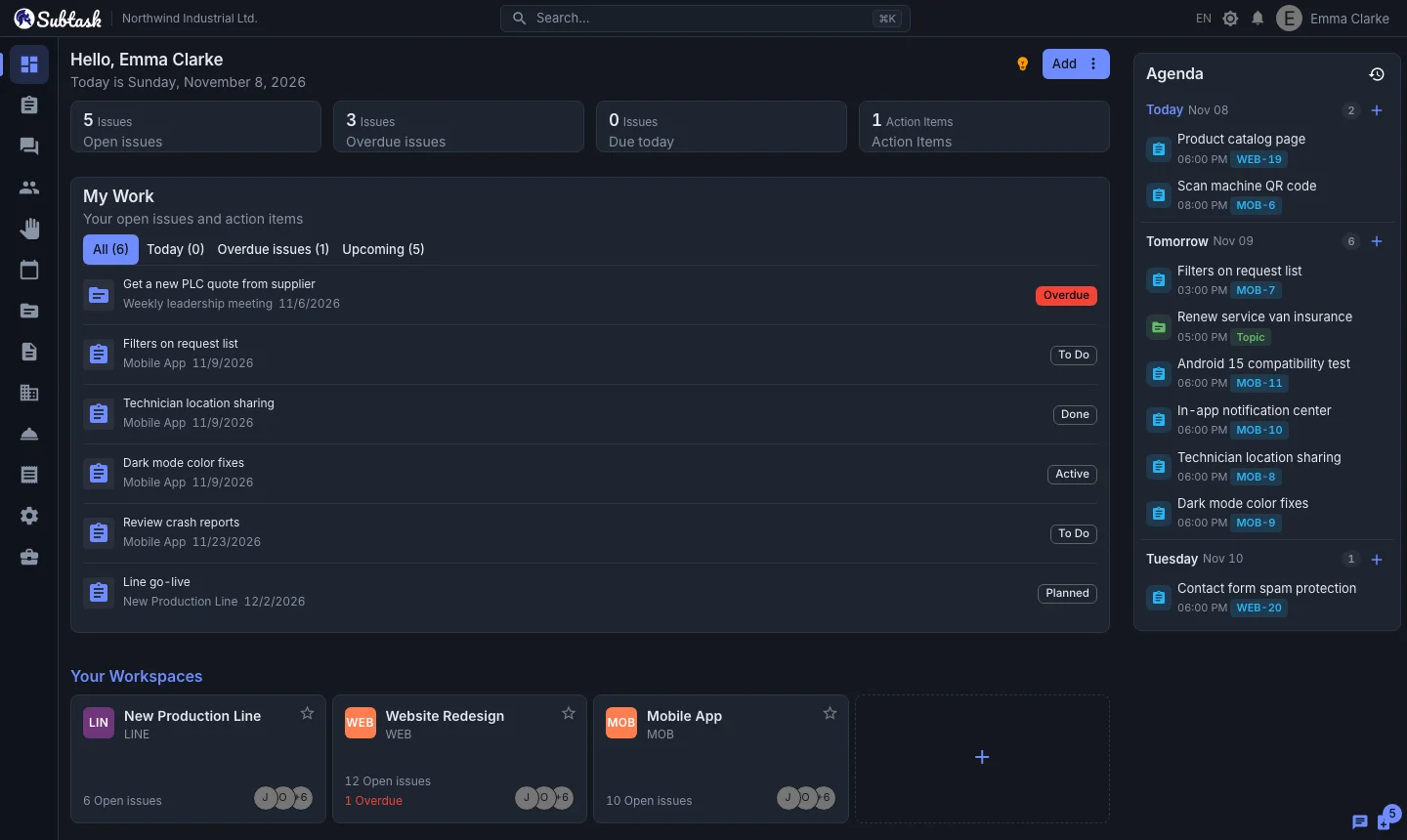
Issue tracking, HR and help desk in one app


Tasks, leave, equipment, service requests and team chat in one place. No per-user fees, however big your team gets.
  • Unlimited users
  • No credit card required
  • Import from Jira, Trello and ClickUp
Issue tracking, HR and help desk in one app Issue tracking, HR and help desk in one app

One app, for your entire team

list_alt

Issue Tracking

Plan, assign and deliver your work with kanban, sprints and Gantt charts.

forum

Team & Communication

Chat, meetings, action items, announcements and the knowledge base together.

people

HR & Leave

Personnel records, org chart, leave requests and public holidays in one place.

room_service

Support & Assets

Help desk and field service, customer records, asset tracking and detailed role management.

NEW

Issue tracking that works with AI

Connect Subtask to your AI assistant and let AI solve your issues. The AI never merges its own code — you always have the final say.

hub

Connect your AI assistant

Create an API token, copy the ready-made config, and give Claude Code, Claude Desktop or Cursor direct access to Subtask.

  • List, create and update issues
  • Add comments, change statuses
  • Link issues together, start AI solve
auto_fix_high

Solve with AI

Set up your GitHub repository once; then with one click an AI agent reads the issue, writes the code and opens a pull request.

  • The agent runs in your own GitHub Actions
  • Never merges — it only opens pull requests
  • Request fixes through PR review comments
sync_alt

Fits your workflow

What the AI did shows up inside the issue, and your board stays up to date on its own.

  • PR link and agent summary are posted as issue comments
  • Issue status moves automatically with the PR (configurable)
  • Usage panel, monthly job and cost limits

With Solve with AI, your source code and AI keys never touch Subtask's servers; the agent runs in your own GitHub account.

EASY SWITCH

Move from Jira, Trello and ClickUp in minutes

Don't leave your data behind. Bring your issues to Subtask in a single file, with their statuses, assignees, labels, checklists, comments and subtask links.

file_download

Export

Export a CSV from Jira, a JSON from Trello, a CSV from ClickUp, or save any spreadsheet as CSV.

rule

Map

Columns, statuses and people are matched automatically; preview and adjust everything before importing.

done_all

Import

Thousands of issues are imported in the background; at the end you see what was created and what was skipped, and why.

Uploading the same file again never creates duplicates. Excel files saved as "CSV UTF-8" are supported.

Step-by-step guides: Jira Trello ClickUp

Pricing

No per-user fees and no seats to count. Your whole team starts for free; turn on the Business package when you want to run your company in Subtask too.
Unlimited Users However large your team gets
Free
For your whole team, forever
$0
  • Unlimited Workspaces and Issues
  • Unlimited Topics and Action Items
  • Unlimited Creatable Meetings
  • Unlimited Knowledge Base
  • Chat
  • Quick Notes
  • Announcements
  • Organizational Chart and Job Titles
  • Internal help desk
  • AI Assistant Connection and Solve with AI
  • iOS and Android apps
  • 2 GB file storage
Business
To run your company too
$25 / company / month
First 14 days free · Price does not depend on user count
  • Everything in Free
  • HR: personnel records, leave and public holidays
  • Asset Management
  • Customer management, external customer request form and help desk reports
  • Detailed User Role Management
  • Change history
  • 50 GB file storage
The Business package is charged daily from the credit you add to your account and can be turned off at any time. Your data is never deleted when it is off.

More than a software, it's your business

Manage projects, organize and chat with your team, view requests for help, schedule meetings and create action items, take quick notes. Do all these in the same place.

ISSUE TRACKING SYSTEM

Work more efficiently with your team

Easily manage your workflow using kanban, scrum board or gantt chart.
ISSUE TRACKING SYSTEM

HUMAN RESOURCE MANAGEMENT

Manage your organization professionally

Easily access and manage all information about your team at all times.
HUMAN RESOURCE MANAGEMENT

ABSENCE MANAGEMENT

Everything under control

Create absence types suitable for your company and easily track their logs.
ABSENCE MANAGEMENT

MEETING MANAGEMENT

Plan your time flawlessly

Create your meeting or personal agenda.
MEETING MANAGEMENT

TOPIC SYSTEM

Plan for topics

You can create an action item for your topics and follow them on the board
TOPIC SYSTEMGET START NOW

KNOWLEDGE BASE

Now it's easy to manage contents

A great system for writing, editing and sharing your knowledge and experience.
KNOWLEDGE BASE

HELP DESK

Bring fault and support tickets to one desk

Assign tickets from customers or your team on the dispatch board, record the resolution and send the customer a PDF service report.
HELP DESK

CUSTOMERS

See all the work for each customer on one page

Record customers with their contacts and machines and link projects to them; support tickets, project issues and time spent come together on the customer page.
CUSTOMERS

EMPLOYEE ASSET ASSIGMENT

details

EMPLOYEE ASSET ASSIGMENT

CHAT MODULE

Chat with your team without losing your focus

Easily communicate with your team without the need for a different application.
CHAT MODULE

QUICK NOTES

You don't need pen and paper

Take quick notes while doing any work, review notes later.
QUICK NOTES
self_improvement

Decide calmly

Now you know everything we offer you to manage your business. By choosing Subtask you will have all the features.

Interactive. Easily Accessible. Affordable.

hub

Interactive

Issue deadline, meeting date and absence date are checked together.

devices

Anywhere access

Enjoy the freedom to manage and organize your business on all your devices, wherever you are.

sentiment_very_satisfied

Pay less

One single payment for everything you need to run your business.

Latest from our blog

All blog posts arrow_forward
We use cookies to improve user experience and analyze website traffic. By clicking “Accept“, you agree to our website's cookie use as described in our Cookie Policy.
error_outline Name, surname, email and message field must be valid!
error_outline Email field must be valid!
error_outline Unauthorized transaction!